Building a Homelab on a Budget: From an Old Laptop to Mini PCs and Orange Pi
For many people, a homelab starts with enterprise servers, network racks, and expensive hardware. Mine started with something much simpler: an old laptop that was collecting dust in the corner of a room.
Back in 2021, shortly after graduating from vocational school, I wanted to keep practicing the Linux and networking concepts I had learned during my studies. I knew that if I didn't use those skills, I would eventually forget them. Instead of letting that happen, I decided to build a small server at home and experiment with real-world deployments.
At the time, I had no plans to build a public website, run cloud services, or host multiple applications. I simply wanted a place to learn.
Five years later, that small experiment evolved into what I now call NetElla HomeLab, a collection of servers and self-hosted services that power my websites, cloud storage, monitoring stack, development tools, and personal projects.
This is the story of how it happened.
Timeline
2021
Started with an old Windows 7 laptop
2022-2023
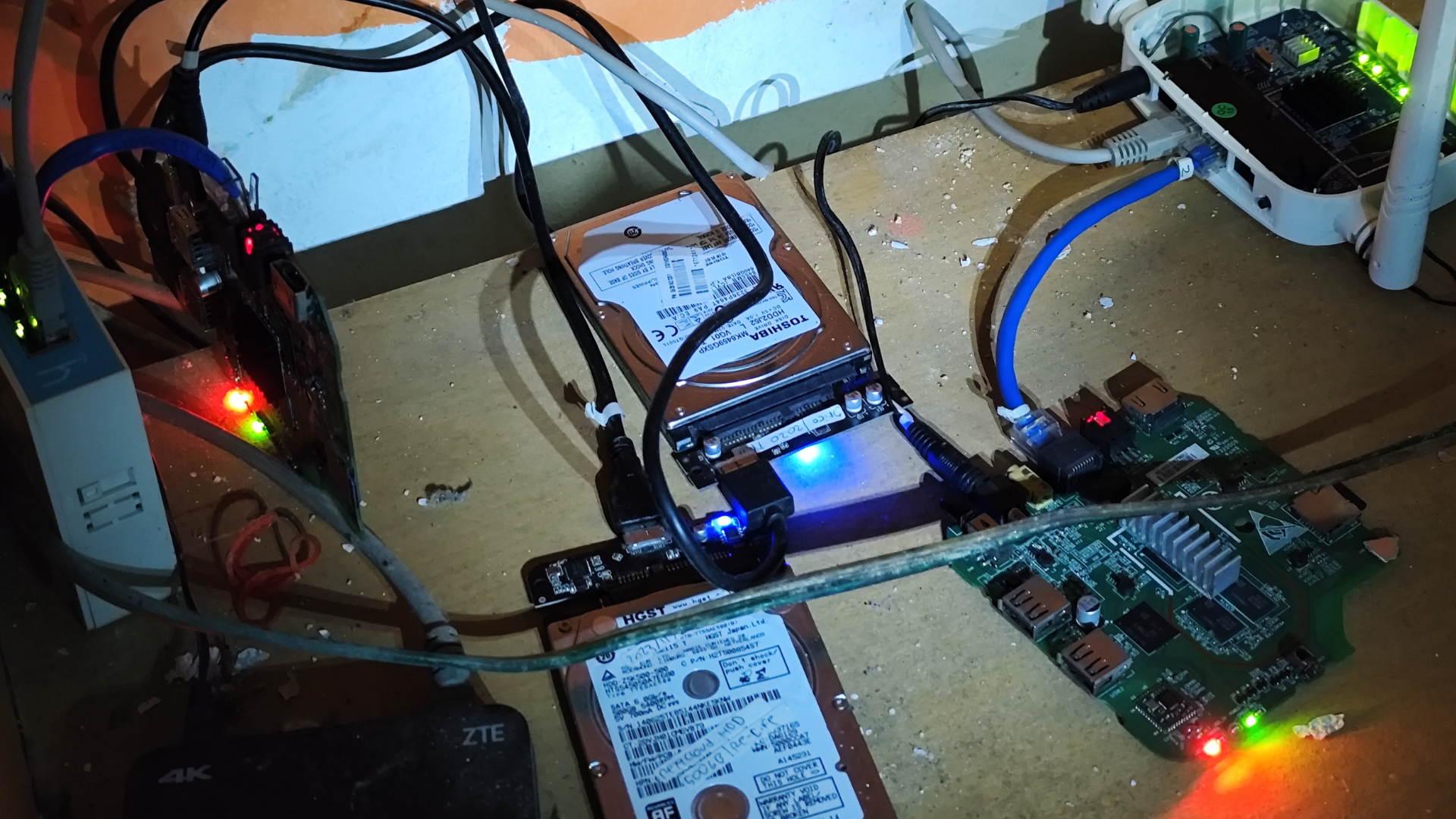
Migrated to two HG680P TV boxes running Armbian
2025
Registered hwpure.com and started receiving traffic from Google
2025
Upgraded to a Dell OptiPlex 5050 Micro
2025-2026
Added Orange Pi 5 Pro and expanded self-hosted services
Today
NetElla HomeLab powers websites, cloud services, development tools, and media applications
The Beginning: A Forgotten Laptop
My first server was far from impressive.
It was an aging laptop powered by an AMD E1-1200 processor with 4GB of DDR3 memory and a 320GB hard drive. The operating system was Windows 7, which, looking back, probably wasn't the ideal platform for a home server. But it was the hardware I already had, and that was enough.
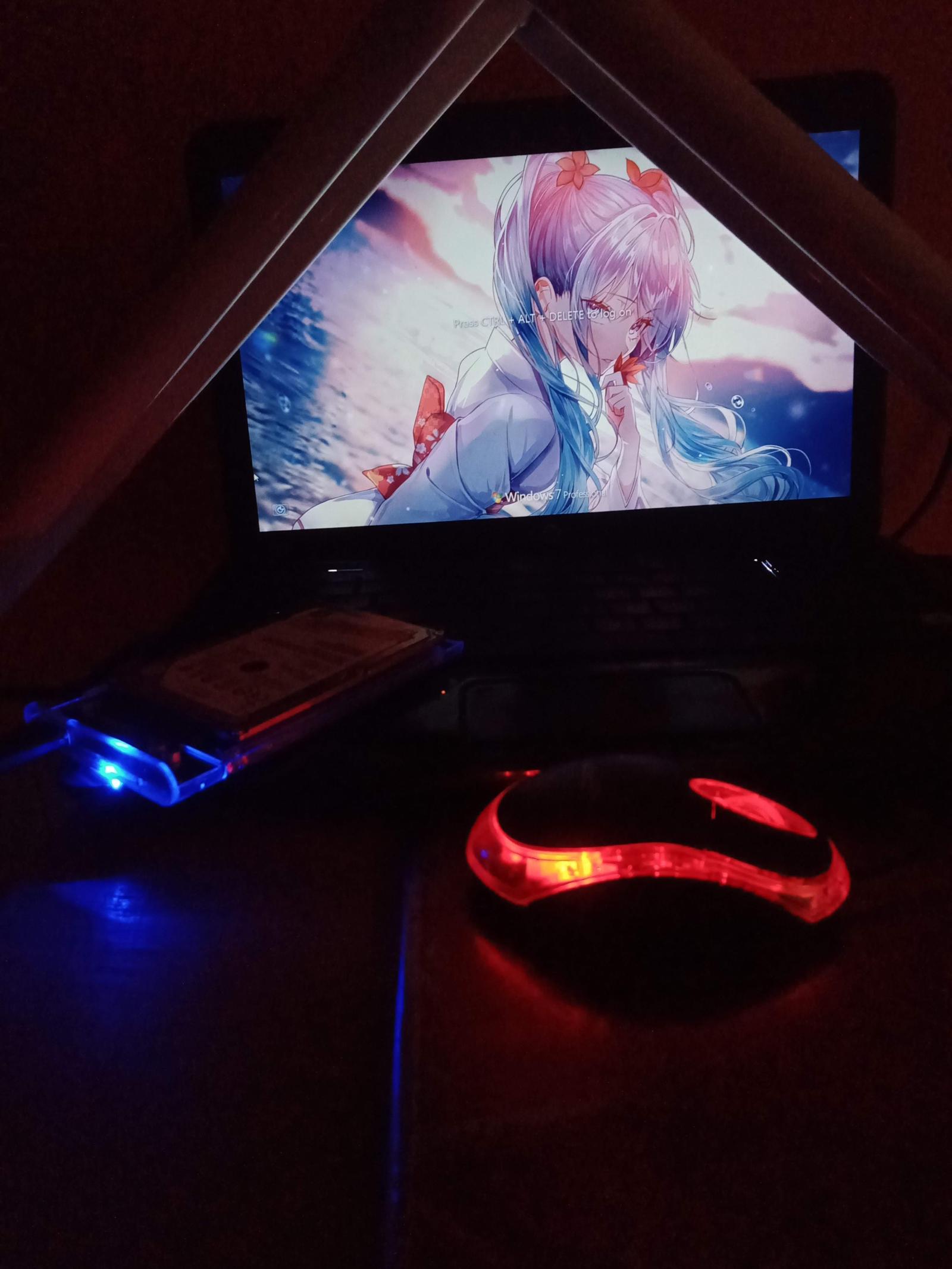
The services running on this machine were simple:
- XAMPP
- IIS Web Server
- Windows File Sharing
At that stage, I wasn't thinking about uptime, scalability, or high availability. I just wanted to understand how servers worked outside of a classroom environment.
Despite its limitations, this old laptop taught me some of the most valuable lessons in self-hosting. It showed me how websites were served, how file sharing worked across a network, and how different services interacted with each other.
Most importantly, it taught me that learning by doing is far more effective than learning from slides and textbooks.
Two Years of Learning
That laptop remained my primary server for nearly two years.
During that period, I experimented with different web applications, local file sharing, and various server configurations. Every mistake became a lesson.
However, the hardware limitations became increasingly obvious over time.
The biggest problems were:
- Limited CPU performance
- Only 4GB of RAM
- A slow mechanical hard drive
- A 100 Mbps Ethernet port
For learning purposes, it was perfectly acceptable. For anything beyond that, it quickly became a bottleneck.
Still, I kept pushing it because replacing hardware wasn't my priority at the time.
Enter the HG680P Era
Around 2022 and 2023, I discovered something that many homelab enthusiasts in Indonesia were experimenting with: repurposed Android TV boxes.
More specifically, the HG680P.
The reason I chose it was incredibly simple.
It was cheap.
While many people were building homelabs with mini PCs or enterprise hardware, I was looking for the most affordable way to run Linux services 24/7.
After installing Armbian, these devices turned out to be surprisingly capable.
Eventually, I ended up with two HG680P units.
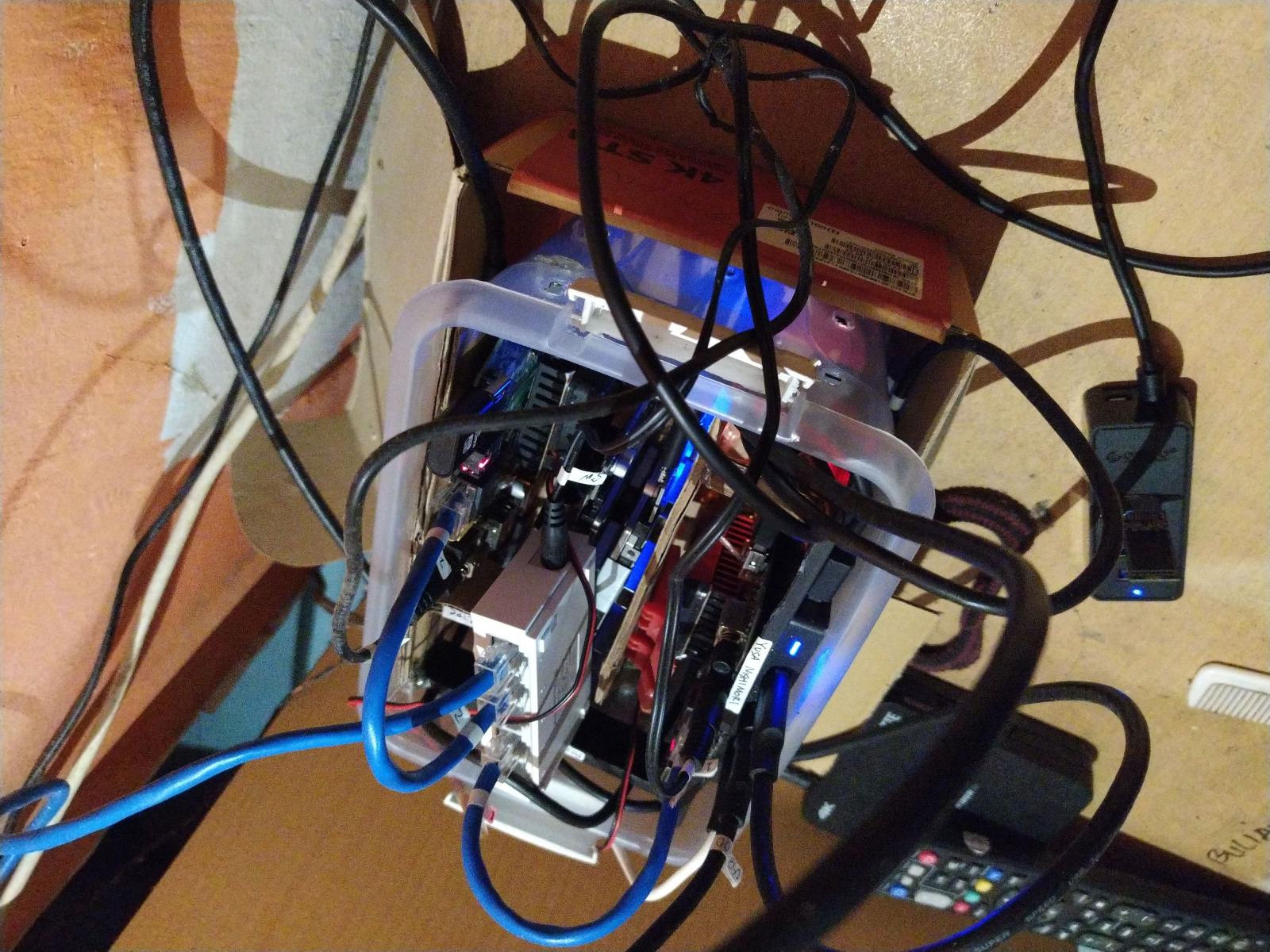
The first unit handled web services and website-related workloads.
The second unit was dedicated to storage and file-sharing services, including:
- Samba
- Kodcloud
For the first time, I had dedicated devices that existed solely to run server workloads.
Compared to the old laptop, the experience felt like a huge upgrade.
The servers consumed less power, generated less heat, and were significantly more reliable for continuous operation.
The Early Days of HWPure
Interestingly, HWPure actually began during the laptop era.
The earliest versions of the project ran on top of XAMPP and were mostly used for personal experimentation.
At the time, HWPure wasn't a public platform. It was simply a project where I could store and display benchmark-related data while learning web development.
As the infrastructure improved, the project gradually became more serious.
The transition to dedicated server hardware gave me the confidence to keep building new features, testing ideas, and treating the project as something more than a personal experiment.
Everything changed in March 2025 when I registered the hwpure.com domain and submitted it to Google Search Console.
That was the moment HWPure started receiving visitors from Google.
For the first time, people outside my local network were actually using something I had built.
And that was both exciting and terrifying.
Today, HWPure has grown far beyond its original purpose. What started as a simple benchmark database now serves thousands of benchmark results, community submissions, hardware rankings, and comparison tools for visitors from around the world.
When the Hardware Started Holding Me Back
As HWPure continued to grow, so did the demands placed on my infrastructure.
At first, the HG680P TV boxes handled everything surprisingly well. For a project that started as a personal experiment, they were more than enough. The website remained responsive, the services stayed online, and I was able to keep adding features without thinking too much about hardware limitations.
Eventually, however, those limitations began to appear.
One of the biggest challenges came from traffic and automation. While HWPure was still relatively small, it started attracting search engine crawlers and various bots. Most of the time this wasn't a problem, but there was one particular moment when several bots hit the website simultaneously.
The result was immediate.
The server became unresponsive.
Pages loaded slowly, services stopped responding properly, and the entire system struggled to keep up. It was the first time I realized that a project could outgrow the hardware it was running on.
At roughly the same time, I was working on more advanced features for HWPure.
I wanted to generate statistics automatically, such as the most viewed hardware of the month, benchmark rankings, community activity summaries, and other aggregated data. While these features seemed simple from a user's perspective, they required significantly more processing power behind the scenes.
The HG680P could technically run the queries, but not reliably.
Sometimes the process would consume too much memory.
Sometimes services would stop unexpectedly.
And occasionally, the server would simply restart itself after running out of resources.
It became clear that I had reached the practical limits of what those small TV boxes could handle.
For learning, experimentation, and lightweight hosting, they were fantastic.
For a growing platform with increasing traffic and more complex workloads, I needed something more powerful.
That realization marked the beginning of the next chapter of my homelab journey.
Upgrading to a Dell OptiPlex 5050 Micro
After researching different options, I eventually settled on a Dell OptiPlex 5050 Micro.
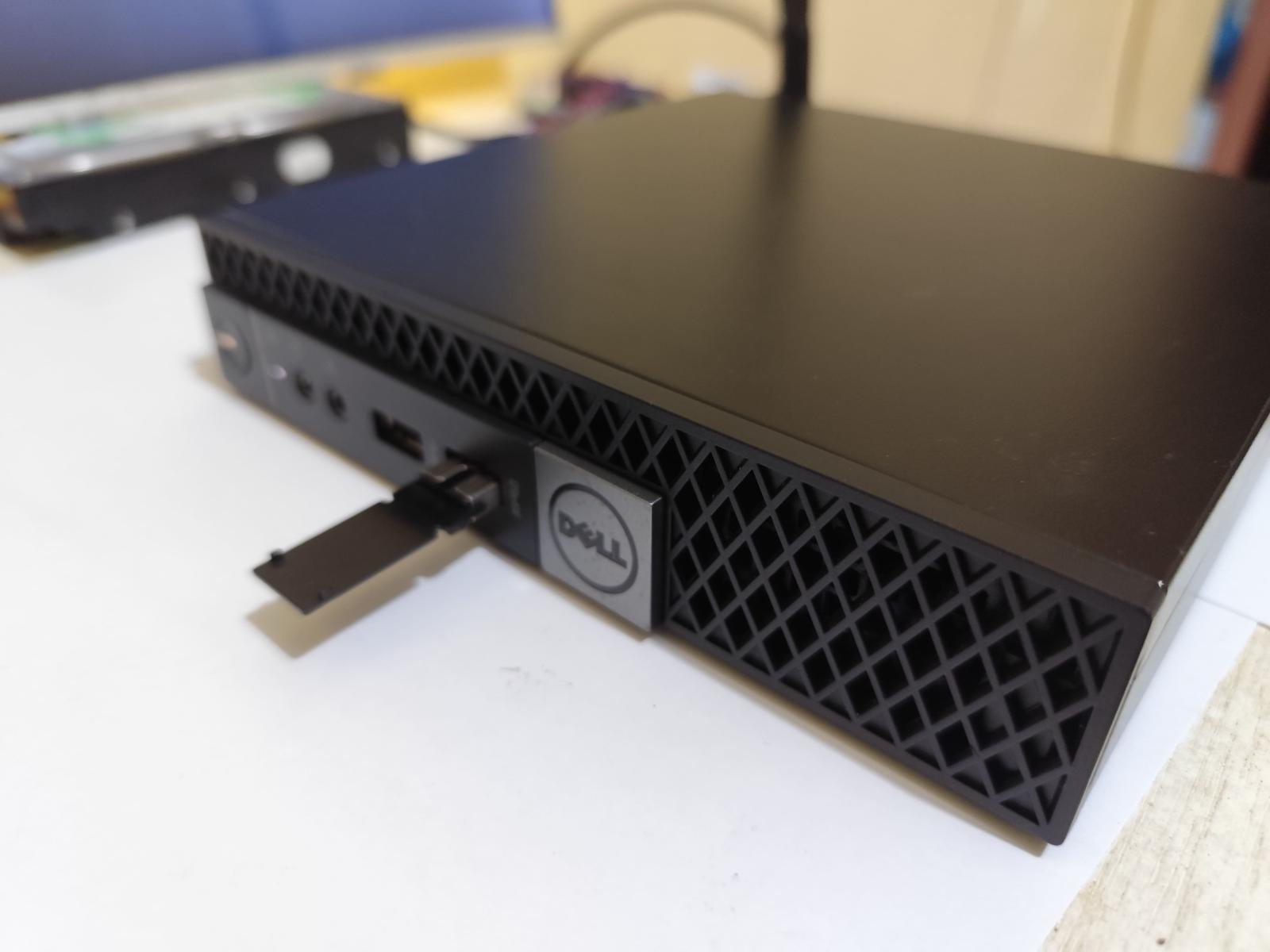
The system was equipped with an Intel Core i3-6100T, and more importantly, it was affordable.
At the time, I purchased it for around one million Indonesian Rupiah, making it one of the best value-for-money upgrades I had ever made.
There were several reasons why I chose this machine.
First, it was compact.
Second, it consumed relatively little power.
And third, many homelab enthusiasts were already using OptiPlex systems as home servers, which gave me confidence that it would be reliable for long-term use.
The difference was immediately noticeable.
Tasks that previously pushed the HG680P to its limits suddenly became effortless.
The database queries used for statistics and analytics completed significantly faster.
Website response times improved.
Background jobs became more reliable.
And for the first time, I felt comfortable running multiple websites and services on a single machine without constantly worrying about resource usage.
Perhaps the biggest improvement was peace of mind.
Instead of wondering whether a new feature would crash the server, I could focus on building and experimenting.
The hardware had finally stopped being the bottleneck.
For the first time, HWPure felt like it was running on infrastructure capable of supporting its future growth.
Adding an Orange Pi 5 Pro
Not long after upgrading to the Dell OptiPlex, I found myself looking at another piece of hardware that had been gaining attention in the single-board computer community: the Orange Pi 5 Pro.
At the time, Raspberry Pi boards were becoming increasingly expensive and difficult to find at reasonable prices. Meanwhile, Orange Pi was offering impressive specifications at a much lower cost.
Naturally, my curiosity won.
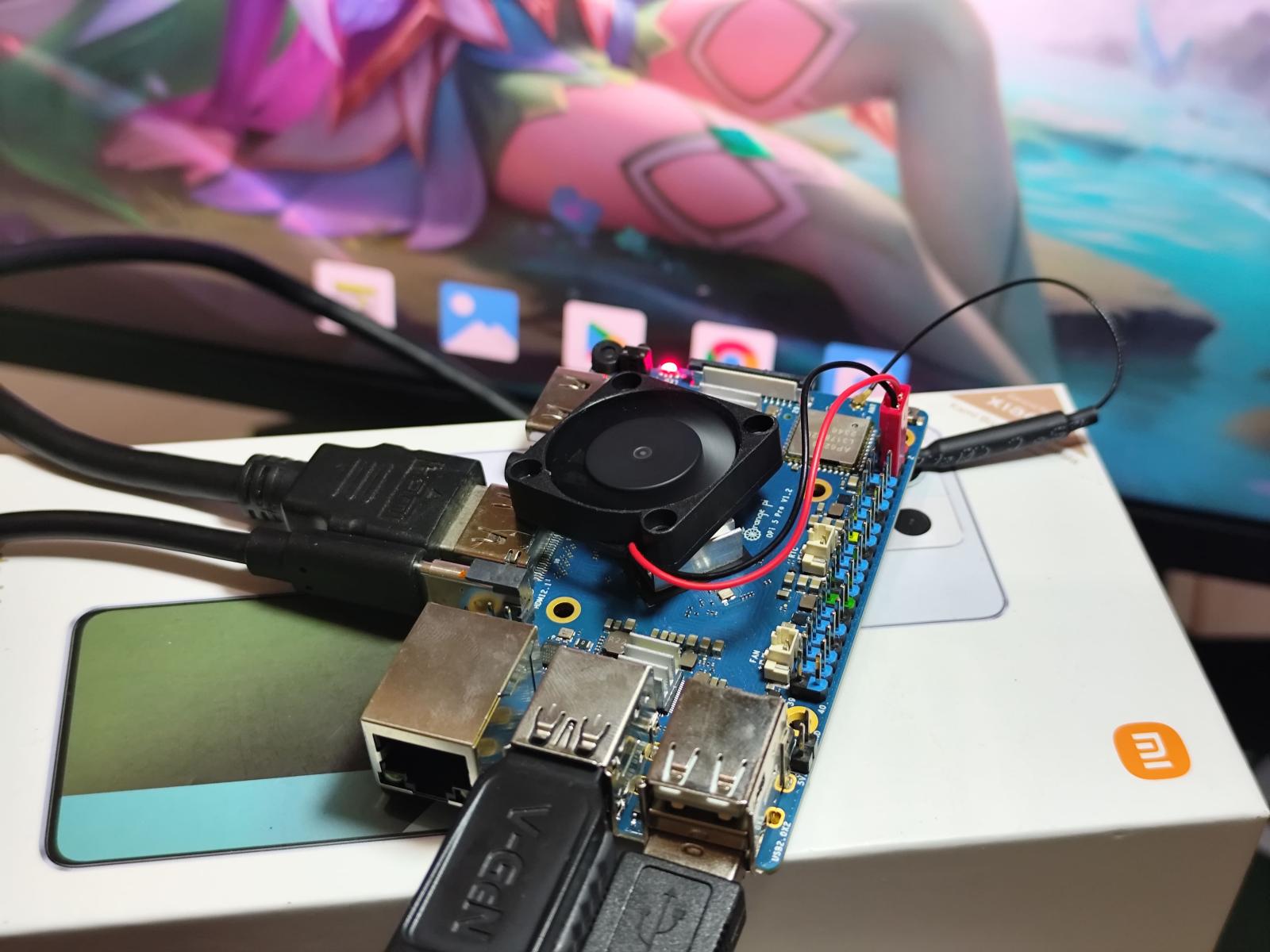
The model I purchased came equipped with:
-
Rockchip RK3588S
-
16GB RAM
For such a small device, the specifications were impressive.
My original intention wasn't necessarily to replace existing infrastructure. I simply wanted to experiment with modern ARM hardware and see how far it could be pushed in a real-world environment.
What surprised me most was how capable it turned out to be.
The Orange Pi eventually became responsible for a large portion of my self-hosted services, including:
-
Docker
-
Portainer
-
Immich
-
Emby
-
Nextcloud
-
Kodcloud
-
Pi-hole
-
Ollama
-
WordPress
-
Samba Sharing
Despite its small footprint, it quickly evolved into one of the most important devices in my homelab.
One of the reasons I enjoy working with ARM-based hardware is the balance between performance and power consumption. The Orange Pi consumes far less electricity than a traditional server while still delivering enough performance for many workloads that I run daily.
For a homelab built around affordability and efficiency, it fit perfectly.
The Device I Probably Didn't Need
Every homelab builder eventually buys something simply because they are curious.
For me, that device was the Orange Pi Zero 3.
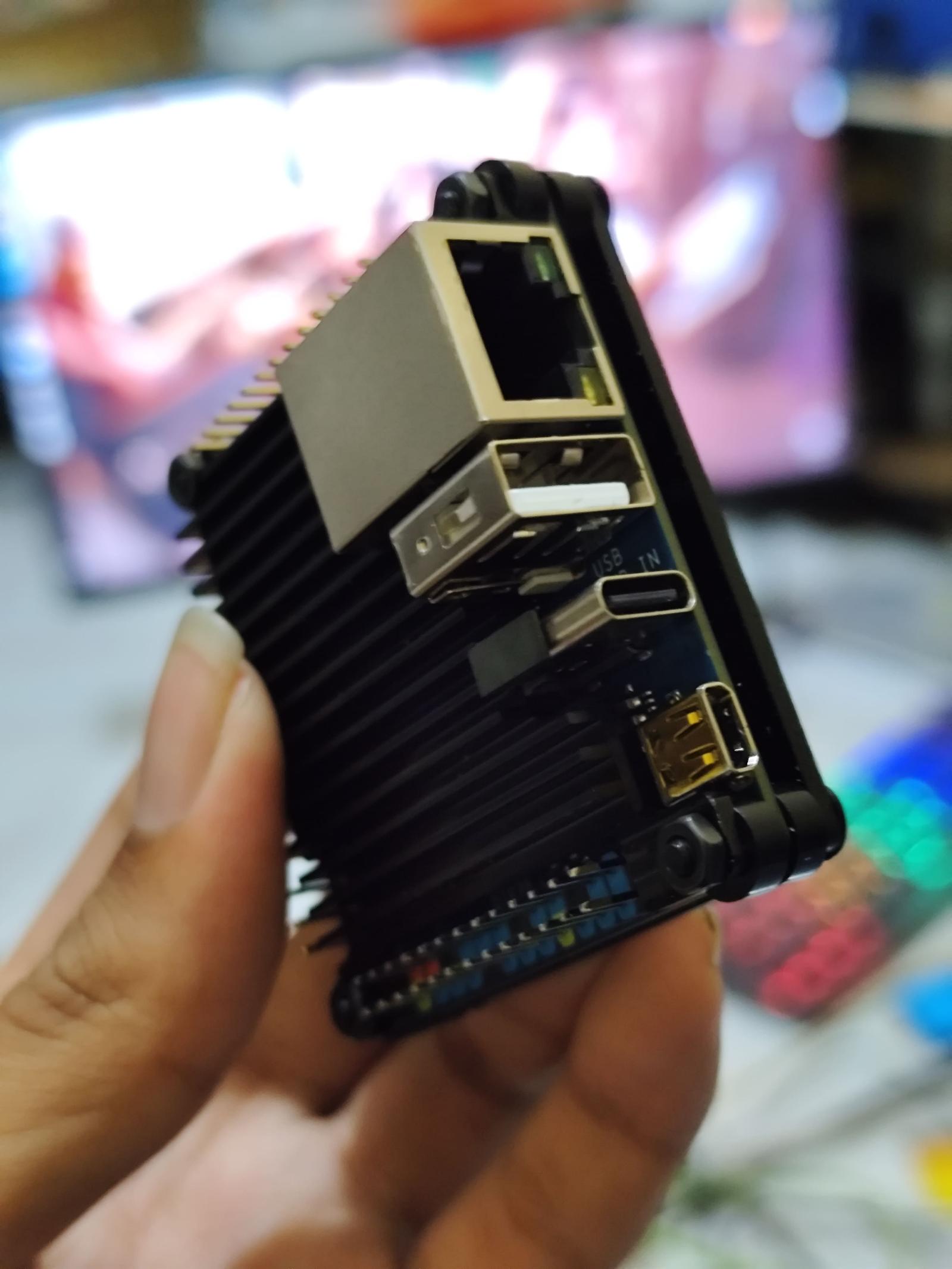
To be fair, there is nothing wrong with the hardware itself.
The problem is that I never truly needed it.
At the moment, it primarily runs Grafana and Prometheus for monitoring purposes. Those services work perfectly fine, but they could have easily been hosted on one of my existing servers.
The purchase wasn't driven by necessity.
It was driven by curiosity.
And if there is one thing I've learned from years of self-hosting, it is that curiosity is responsible for a surprisingly large percentage of homelab purchases.
NetElla HomeLab Today
After several years of upgrades, migrations, experiments, and occasional disasters, the infrastructure has grown into something much larger than I originally imagined.
Today, NetElla HomeLab consists of several devices working together:
-
Dell OptiPlex 5050 Micro
-
Orange Pi 5 Pro
-
Orange Pi Zero 3
-
Two HG680P TV Boxes
While none of these devices would be considered enterprise hardware, they have proven more than capable of handling my requirements.
More importantly, they allow me to learn, experiment, and host services without spending a fortune.
Services Running Today
One thing that often surprises people is how many services can run on relatively inexpensive hardware.
Over the years, my homelab has gradually expanded beyond simple file sharing and web hosting.
Public Services
These are the services that are directly accessible from the internet:
-
HWPure Community Benchmark Database
-
HakimYusa Portfolio Website
-
TKJ Blog
-
WordPress-based websites
Storage and Cloud Services
Managing files was one of the original reasons I started self-hosting.
Today, I use:
-
Nextcloud
-
Kodcloud
-
Samba Shares
These services allow me to store files, synchronize data across devices, and access documents from anywhere.
Development and Collaboration
As my projects became larger, I also started hosting development-related tools:
-
Gitea
-
n8n
Self-hosting these applications gives me complete control over my development workflow.
Infrastructure and Networking
To manage containers and provide remote access, I rely on:
-
Docker
-
Portainer
-
Cloudflare Tunnel
-
Tailscale
Cloudflare Tunnel is especially important because my internet connection is behind CGNAT and does not provide a public IP address.
Without it, exposing services to the internet would be significantly more complicated.
Monitoring and Analytics
No homelab is complete without dashboards.
I currently use:
-
Grafana
-
Prometheus
These tools help me monitor resource usage, service availability, and overall system health.
Databases
Many services depend on databases running behind the scenes:
-
MariaDB
-
Redis
While they are rarely visible to end users, they power a large portion of the infrastructure.
Media Services
For photos and media management, I currently run:
-
Immich
-
Emby
Immich has become one of my favorite self-hosted applications because it provides many of the conveniences of commercial cloud photo services while keeping data under my control.
Backup and Recovery
One lesson every homelab owner eventually learns is that backups are not optional.
My backup strategy currently relies on:
-
Borg Backup
-
rsync
Because recovering from a failure is always easier when you prepared for it beforehand.
At least in theory.
Virtualization
To simplify deployment and management, I also use:
-
Proxmox VE
-
CasaOS
These tools make it much easier to experiment with new services without rebuilding entire systems from scratch.
Storage: Collected One Drive at a Time
Unlike large enterprise environments, my storage infrastructure wasn't purchased all at once.
It was assembled gradually over several years.
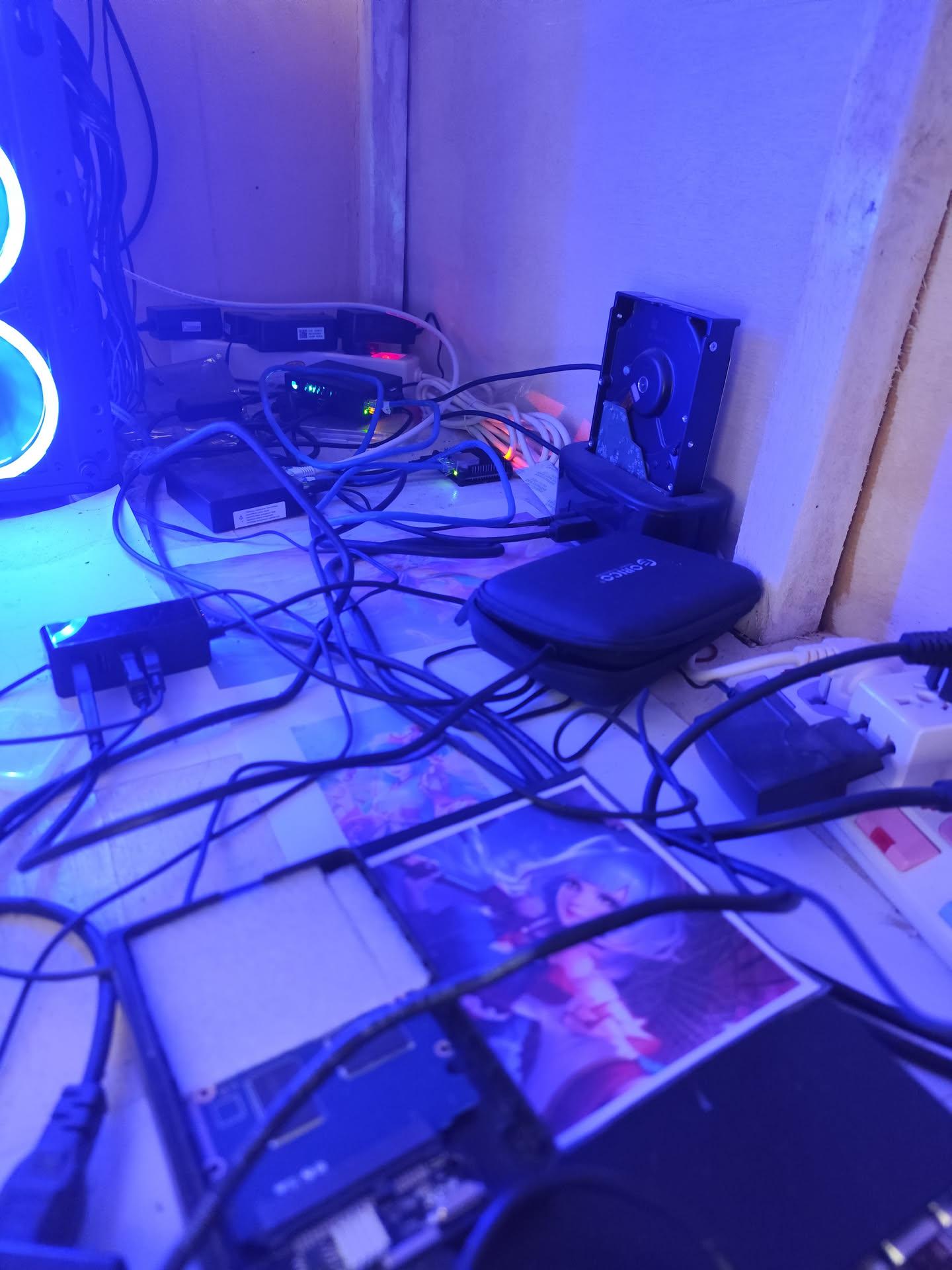
Current storage includes a mix of hard drives and SSDs accumulated from different upgrades and projects.
Some were purchased specifically for the homelab.
Others were reused from older systems.
Like many budget-conscious homelab builders, I learned that storage tends to grow organically.
One drive becomes two.
Two drives become five.
And before you realize it, you are spending more time organizing storage than actually using it.
Mistakes, Failures, and Lessons Learned
Building a homelab over several years teaches you many things.
Some lessons come from success.
Most come from mistakes.
Looking back, there are several things I would have done differently if I were starting from scratch today.
The UPS Mistake
If there is one purchase I should have prioritized much earlier, it would be a UPS.
To this day, I still consider the lack of a proper UPS one of the biggest weaknesses in my setup.
Like many people building a homelab on a limited budget, I focused on servers, storage, networking, and new hardware upgrades. The idea of spending money on a device that simply sits there waiting for a power outage felt difficult to justify.
Unfortunately, power outages do not care about budgets.
Over the years, I have experienced multiple situations where sudden power loss caused unnecessary stress and downtime.
The servers usually survived.
The data usually survived.
But every unexpected shutdown introduced risks that could have been avoided with proper power protection.
If someone asked me for homelab advice today, I would probably recommend buying a UPS much earlier than I did.
Sometimes the most important hardware upgrade is the one that does absolutely nothing until everything goes wrong.
Networking Is Easy to Ignore Until It Isn't
Another lesson came from networking.
For a long time, parts of my infrastructure still relied on older equipment.
Some devices were limited to Fast Ethernet.
My wireless network was still running on aging Wi-Fi 4 access points.
At first, none of this seemed like a major problem.
Websites loaded.
Files transferred.
Everything appeared to work.
Then the storage requirements started growing.
Large backups became more common.
Media libraries expanded.
Photos and videos occupied more space than before.
Suddenly, the network became the bottleneck.
Copying files from the server to mobile devices felt much slower than it should have.
Local transfers took longer.
Backups took longer.
Everything still worked, but not as efficiently as it could.
This taught me that infrastructure is only as strong as its weakest component.
Sometimes the bottleneck is not the server.
Sometimes it is the network connecting everything together.
The Weirdest Problems I've Encountered
No matter how carefully a homelab is designed, strange things eventually happen.
Some of the most frustrating issues I've encountered include:
-
Servers randomly restarting without any obvious explanation
-
Storage devices suddenly disappearing
-
Websites becoming unavailable while the server itself remained online
-
Services refusing to respond despite appearing healthy
Most of these problems were eventually resolved.
Some were caused by configuration mistakes.
Others were caused by hardware issues.
And a few simply seemed determined to waste an entire weekend.
However, one incident stands out above all the others.
After a power outage, one of my systems booted normally, but the operating system drive had completely disappeared.
Not degraded.
Not corrupted.
Not slow.
Gone.
For a while, I genuinely thought the drive had failed.
After troubleshooting and reconnecting hardware multiple times, the system eventually returned to normal.
To this day, I still cannot fully explain what happened.
Homelabs occasionally have a way of reminding you that computers are powered by technology, electricity, and a small amount of dark magic.
The Best Purchase I've Ever Made
Out of all the hardware I have purchased over the years, one device stands above the rest in terms of value.
The HG680P TV Box.
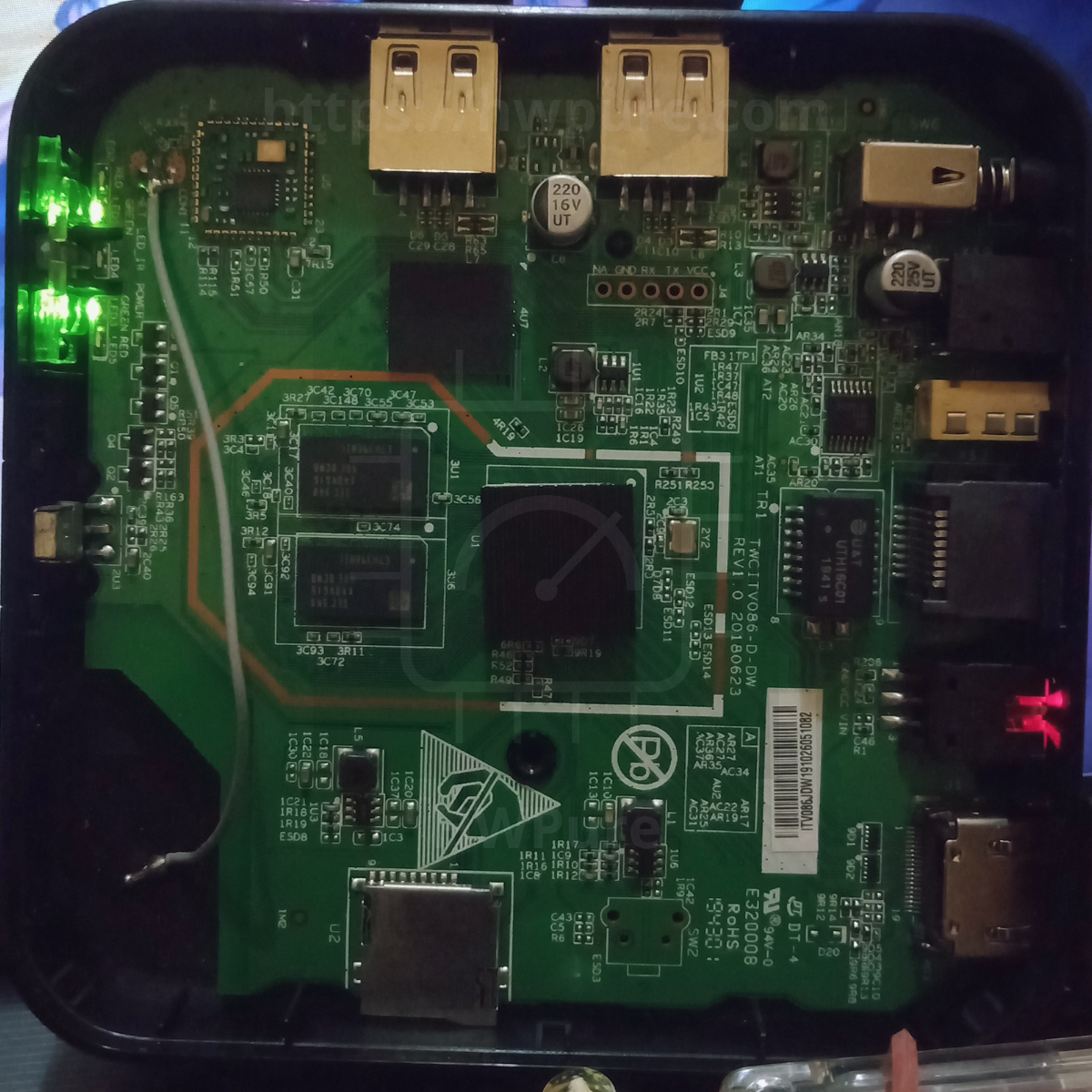
It wasn't powerful.
It wasn't modern.
It certainly wasn't designed to be a Linux server.
Yet it played a huge role in my homelab journey.
Those inexpensive second-hand TV boxes allowed me to learn Linux, experiment with self-hosting, and build services without spending a significant amount of money.
More importantly, they proved that you don't need expensive hardware to get started.
Many people postpone building a homelab because they believe they need enterprise servers or high-end equipment.
My experience taught me the opposite.
Start with what you have.
Upgrade later.
The best homelab is the one that actually exists.
The Purchase I Probably Didn't Need
On the other hand, not every purchase was equally useful.
If I had to choose one device that provided the least value so far, it would probably be the Orange Pi Zero 3.
This isn't because the hardware is bad.
In fact, it is a surprisingly capable little board.
The reality is much simpler.
I bought it because I was curious.
At the moment, it runs Grafana and Prometheus, workloads that could easily be hosted elsewhere in the homelab.
I don't regret buying it.
Experimentation is part of the hobby.
But if I were optimizing purely for practicality, I probably could have skipped that purchase entirely.
Why I Continue Self-Hosting
People occasionally ask why I continue running so many services at home instead of moving everything to the cloud.
The answer is surprisingly simple.
I enjoy it.
Self-hosting allows me to learn new technologies, understand how systems work, and maintain complete control over the services I use every day.
There is also a practical side.
Many of the applications I run would cost significantly more if I relied entirely on commercial alternatives.
By hosting them myself, I gain flexibility while reducing long-term costs.
More importantly, every project becomes an opportunity to learn something new.
And that learning process is still the reason this homelab exists.
Running a Homelab Behind CGNAT
One challenge that many homelab builders in Indonesia face is internet connectivity.
I live in Batam and currently use an IndiHome connection with speeds of approximately:
-
100 Mbps download
-
30 Mbps upload
On paper, those speeds are perfectly adequate for most self-hosted services.
The real challenge is CGNAT.
Like many residential internet connections, my network does not have a publicly accessible IP address. This makes exposing services to the internet significantly more complicated than simply forwarding a few ports on a router.
For a while, I explored different options.
Eventually, I settled on Cloudflare Tunnel.
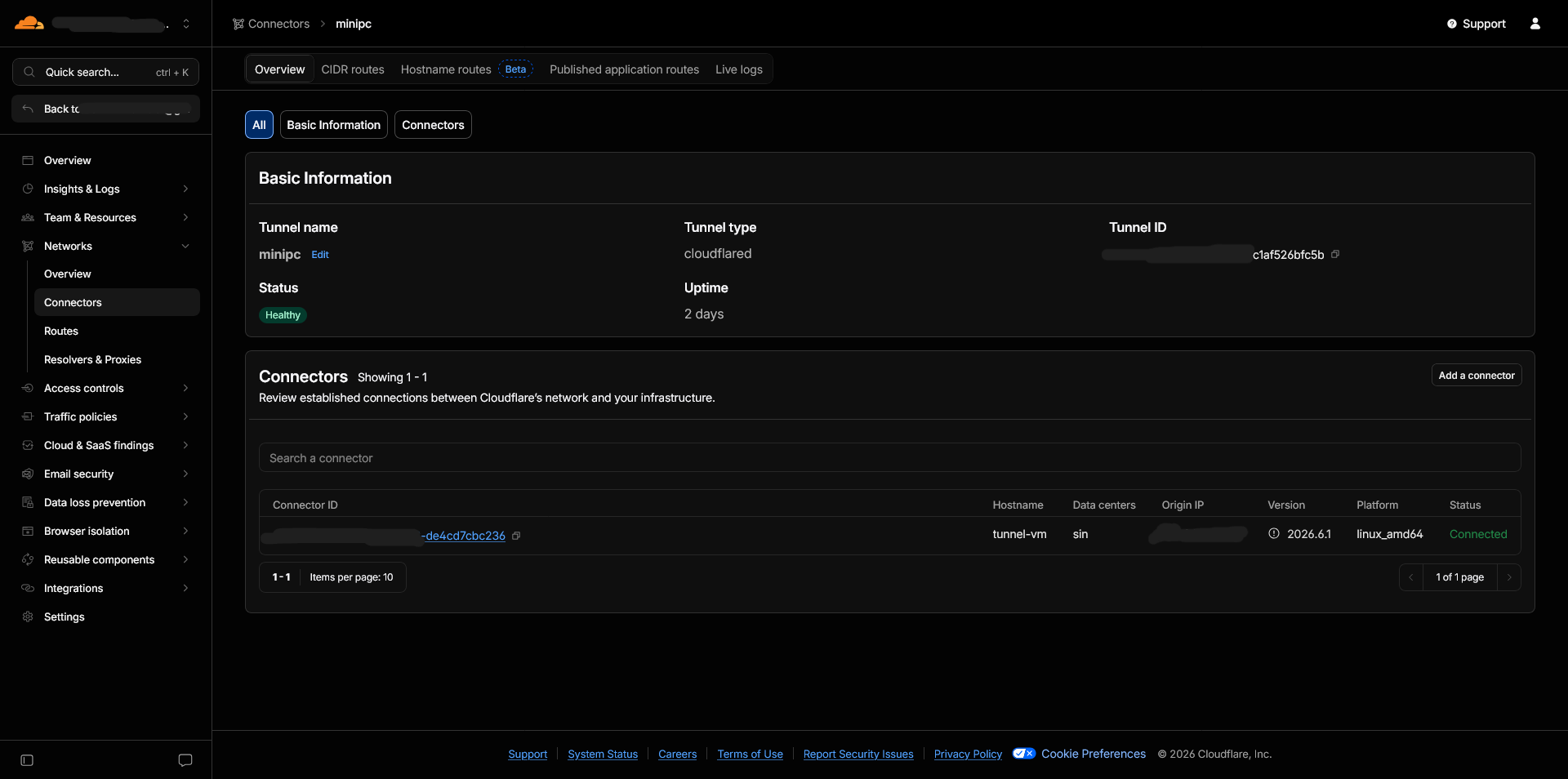
Cloudflare Tunnel has become one of the most important components of my homelab.
It allows me to expose websites and services to the public internet without needing a public IP address, while also simplifying security and access management.
Today, services such as HWPure and several personal projects rely on this setup.
For anyone building a homelab behind CGNAT, Cloudflare Tunnel has been one of the most useful tools I have ever deployed.
What's Next for NetElla HomeLab?
One of the funny things about homelabs is that there is never really a final version.
There is always another upgrade.
Another service.
Another project.
Another piece of hardware that somehow finds its way into your shopping cart.
That said, my future plans are actually quite modest.
One of my biggest priorities is finally purchasing a proper UPS.
After years of operating without one, it has become increasingly clear that power protection is more important than another server upgrade.
I would also like to add a dedicated Synology NAS for personal data and long-term storage.
While my current storage setup works well, having a dedicated platform specifically designed for storage would improve organization, management, and reliability.
Another upgrade I would like to implement is backup internet connectivity.
Most services depend on a stable internet connection, and having a secondary connection would provide an additional layer of resilience.
As for computing power, I don't currently feel limited by my existing hardware.
If traffic or workloads grow significantly in the future, I may eventually move to a more powerful Xeon-based server.
Realistically, though, the current infrastructure still has plenty of room left.
Stability Over Scale
When people talk about homelabs online, there is often a focus on scale.
More servers.
More storage.
More racks.
More networking equipment.
While those setups are impressive, they are not necessarily my goal.
At this stage, I care more about stability than expansion.
A server that quietly performs its job every day is often more valuable than a room full of equipment that constantly requires attention.
Over time, I have learned that building a homelab is not about collecting hardware.
It is about building systems that solve real problems.
Sometimes those systems host websites.
Sometimes they store family photos.
Sometimes they automate repetitive tasks.
And sometimes they simply provide an environment where new ideas can be tested.
Final Thoughts
Looking back, it is difficult to believe how much this homelab has evolved.
What started in 2021 as an old Windows 7 laptop running a few basic services eventually grew into an infrastructure capable of hosting websites, cloud storage platforms, monitoring systems, development tools, media services, and countless personal experiments.
Along the way, there were plenty of mistakes.
Hardware failures.
Power outages.
Unexpected downtime.
Configuration issues.
And more troubleshooting sessions than I can remember.
Yet every problem taught me something.
Every upgrade solved a limitation.
Every device played a role in helping me understand technology a little better.
Perhaps the most important lesson is that you do not need expensive equipment to get started.
My journey began with a forgotten laptop.
Later came a pair of second-hand TV boxes.
Then a small Dell OptiPlex.
Then an Orange Pi.
Each upgrade happened only when it was needed.
Five years later, the homelab is still growing.
Not because I want the biggest setup possible.
But because I still enjoy learning, experimenting, and building things.
And as long as there are new ideas worth exploring, NetElla HomeLab will continue to evolve right alongside them.